
 Assuming
you have the right ethics, you are welcome to apply. We are offering a generous commission on The
MicroVita SuperDiet™ & it's allied products + services as follows :
Assuming
you have the right ethics, you are welcome to apply. We are offering a generous commission on The
MicroVita SuperDiet™ & it's allied products + services as follows :unless specified otherwise.
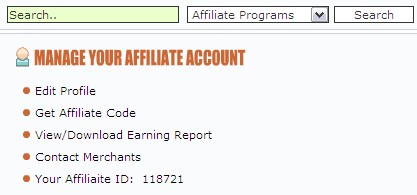
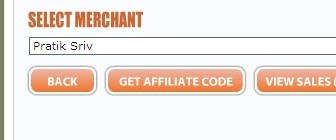

2. Anytime
a visitor enters the site through your affiliate link - a
cookie will be set in their computer browser for 6 months. Which means
if
they buy the crash-course within 6 months - the sale will be credited
to your account automatically.
You will be sent an immediate email-notification upon every sale.
You can check your account balance anytime by logging into
your a/c at e-junkie.com.
3. Unlike
other affiliate systems (like click-bank, 2CO etc)
NO
service
charge will be deducted from your commission amount.
4. All
payments will be made in US$ using the mass-payment function of
PayPal. PayPal charges apply when you withdraw your
funds from your PayPal a/c. You may check the charges applicable
for your country at the PayPal site.
5. There
will be a 2
month wait-period before which any purchase qualifies
as an earning. This is so because we are offering a 100% money-back
guarantee of that duration to all our clients.
6. Each
month's earnings (ie 2 months after the sale) will be paid
lumpsum via PayPal within
15 days of every month end.
7. Commissions
are due from 2nd sale onwards. ie commission for 1st sale will be paid
only after the 2nd sale. This is to avoid misuse of the affiliate
program by unscrupulous elements.
8.
Reach us for any queries
&
sales / educative support. You may check the relevant sections of our
blog : MicroVitaSuperLife.com for
further
information on the benefits of our approach.
We follow highest standards of professional ethics &
look forward to working with you in the same spirit. All the best for
your efforts.
Do let us know how else can we support you.
2. Use url shortening service, for e.g www.bit.ly,
to get a more compact version of the affiliate link.
Use this in your marketing efforts for enhanced convenience, security & most
importantly to be able to track the click-rate.
Read up their 'help' section to find out the specifics.
3.
How to delete cache?
If you are using Internet Explorer -
Go to Tools -> Internet Options
Checkmark "Delete browsing history"
Click on [Delete] button.
Click [ok] button once all temp files have deleted.
In Firefox -
Press ctrl-shift-delete.
Checkmark "Cache".
Click on "clear now" button.